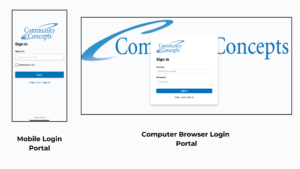
🌟 Introducing the New Community Concepts Client Portal!
We’re excited to announce the launch of the Community Concepts Client Portal, a secure and easy‑to‑use online space designed to help you stay connected, informed, and engaged in your care.
This new portal reflects the Community Concepts brand you know — simple, supportive, and centered on you.
🔐 What You Can Do in the Client Portal
- Access your appointments and upcoming sessions
- Sign and complete forms and documents online
- Join Telehealth Visits
- Manage billing and make payments
- Update personal information securely
Our goal is to make your experience smoother and more convenient. The portal gives you 24/7 access to the tools and information you need — all in one place, all with the trusted Community Concepts look and feel.
🚀 Getting Started
- You will receive an email from Community Concepts Inc noreply@ccimaine.org | click the link to create your account
- Visit the Client Portal login page (either on the website or via the CCI Application you download to your phone)
- Create username (we suggest using your email address as your username)
- Verify your Date of Birth
- Create your password
- If you need help, select “Help, I can’t sign in.”
💬 Need Assistance?
Our team and your providers are here to help you get started and answer any questions at 207-364-3549.